
Aug
How do I charge a Vozol vape?
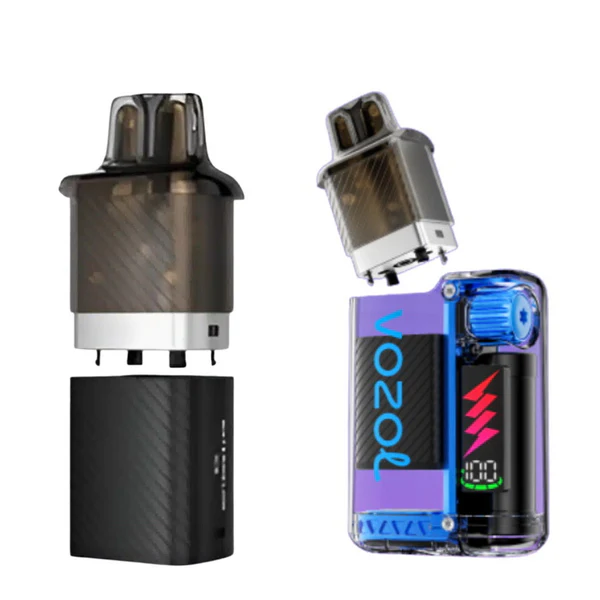
FAQ How do i charge a vozol vape?. Charging a Vozol vape is a simple process, but doing it correctly helps extend your device’s lifespan and ensures consistent performance. While some smaller disposable Vozol vapes are non-rechargeable, most mid- to high-capacity models (such as the Gear Power 20,000 or Vista 20,000) come with USB-C fast charging. Here’s a step-by-step guide.
1. Check If Your Model Is Rechargeable |How do I charge a Vozol vape?
Before anything else, confirm whether your device supports charging:
-
Rechargeable – Has a visible USB-C charging port (usually at the bottom or side).
-
Non-rechargeable – No charging port; dispose of responsibly when the battery is depleted.
2. Gather the Right Cable |How do I charge a Vozol vape?
-
Vozol vapes typically include a USB-C charging cable in the box.
-
If you use your own cable, ensure it’s a quality USB-C cord to avoid slow charging or potential damage.
-
Avoid using cheap, uncertified chargers, as they can overheat the battery.
3. Connect to a Power Source
-
Plug the USB-C cable into the charging port on your Vozol.
-
Connect the other end to a wall adapter, computer USB port, or power bank.
-
For fastest charging, use a 5V/2A wall adapter (or follow the wattage recommendation in your user manual).
4. Monitor the Charging Process
-
Many Vozol models have an LED indicator or OLED display showing charging progress.
-
When charging:
-
Flashing light – Battery is charging.
-
Solid light or 100% display – Charging is complete.
-
-
Charging typically takes 30 minutes to 1.5 hours, depending on battery size.
5. Unplug Once Fully Charged
-
Overcharging can degrade battery health over time, even with built-in protections.
-
Once the battery indicator shows 100%, disconnect the charger.
-
Store the device in a cool, dry place when not in use.
6. Extra Charging Tips
-
Don’t charge overnight – While most devices have safeguards, it’s still better to unplug promptly.
-
Avoid extreme temperatures – Charging in very hot or cold environments can damage the battery.
-
Clean the charging port occasionally with a dry cotton swab to maintain good contact.
In summary:
To charge a Vozol vape, use the provided USB-C cable, plug into a safe power source, monitor the charging indicator, and unplug when full. Following proper charging habits keeps your battery healthy, maximizes device life, and ensures you enjoy consistent vapor performance

so much fantastic information on here, : D.
заклепки вытяжные а2 а2 заклепки вытяжные стандартные
кухня дома фото дизайн дизайн проект коттеджа
дизайн квартиры студии дизайн проект двухкомнатной квартиры
дизайн кв квартира проект дизайн проект двухкомнатной квартиры
ширина полотенцесушителя лучшие полотенцесушители
полотенцесушителя 1 1 полотенцесушители официальный сайт
Hello team!
I came across a 158 very cool page that I think you should explore.
This resource is packed with a lot of useful information that you might find valuable.
It has everything you could possibly need, so be sure to give it a visit!
https://nighthelper.com/beauty-and-fashions-green-challenge/
Additionally do not neglect, folks, that you always are able to within this particular piece locate responses to address the the absolute tangled questions. We attempted to present the complete content via the very accessible manner.